
Antigravity Setup
Antigravity has both surfaces covered, and they work differently:
| Surface | Method | Recall |
|---|---|---|
| Antigravity CLI | Plugin — pre-prompt hook | Automatic, every turn |
| Antigravity IDE | MCP server | Model calls the tools |
Antigravity CLI
Section titled “Antigravity CLI”Same tier as Claude Code: a pre-prompt hook injects an <nc-context> block before each turn, so recall happens whether or not the model thinks to ask.
Install
Section titled “Install”npm install -g @nexus-catalyst/antigravity-pluginexport NC_PLUGIN_API_KEY="your-plugin-key"nc-antigravity installnc-antigravity statusYour Plugin API key comes from Account → API Keys. Put the export in your shell profile so it survives new sessions.
Commands
Section titled “Commands”nc-antigravity install # Register the NC hooksnc-antigravity uninstall # Remove them, leaving other hooks intactnc-antigravity status # Check installation state and API keyAntigravity IDE
Section titled “Antigravity IDE”Step 1: Open the raw config
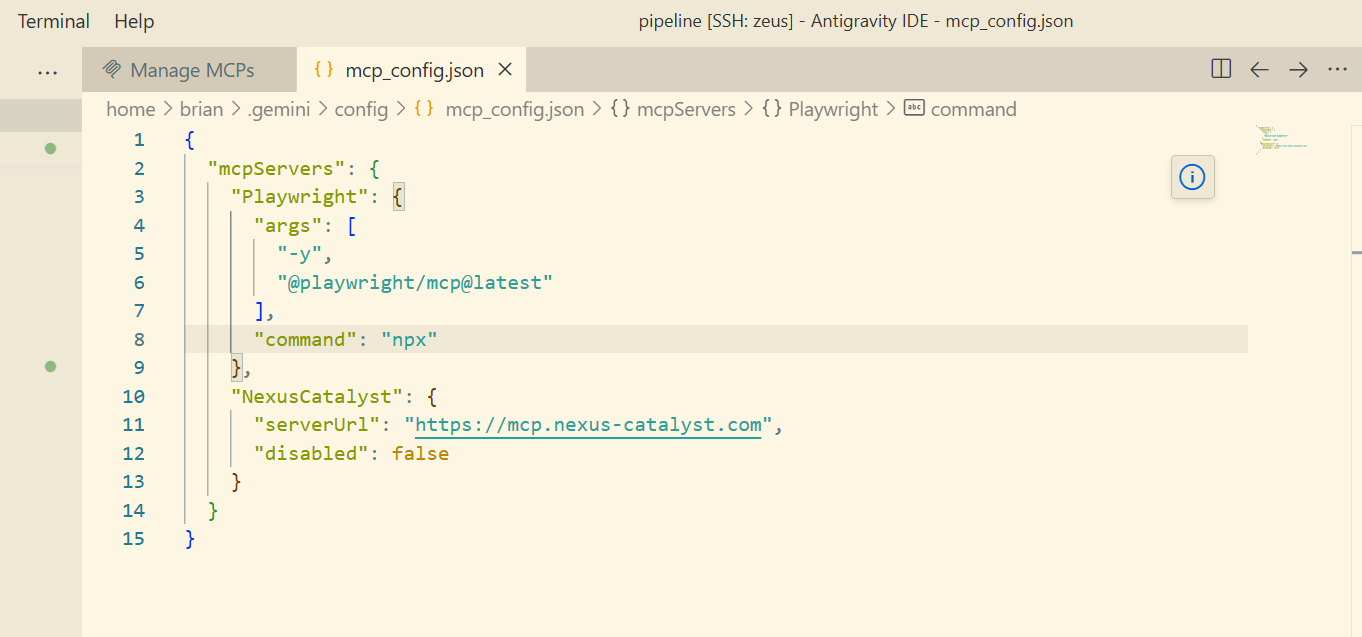
Section titled “Step 1: Open the raw config”In the agent side panel: … → MCP Servers → Manage MCP Servers → View raw config.
That opens ~/.gemini/config/mcp_config.json (global), or .agents/mcp_config.json if you want the server scoped to one workspace.
Step 2: Add the server
Section titled “Step 2: Add the server”{ "mcpServers": { "nexus-catalyst": { "serverUrl": "https://mcp.nexus-catalyst.com" } }}Step 3: Sign in
Section titled “Step 3: Sign in”Nexus-Catalyst supports dynamic client registration, so Antigravity handles OAuth itself — there is no client ID, client secret, or bearer header to add.
If it does not prompt, open Agent Settings → Customizations and press Authenticate next to nexus-catalyst. Tokens are stored at ~/.gemini/antigravity/mcp_oauth_tokens.json and refresh on their own.
Step 4: Add the instruction set
Section titled “Step 4: Add the instruction set”The IDE has no pre-prompt hook, so add the Agent instruction set to your agent rules. Without it the tools are present but unused.
Troubleshooting
Section titled “Troubleshooting”The server does not appear in the IDE
Section titled “The server does not appear in the IDE”Nine times out of ten this is the serverUrl key — see the caution above. url and httpUrl fail silently.
Authentication never prompts
Section titled “Authentication never prompts”Use the manual path: Agent Settings → Customizations → Authenticate.
CLI hooks are not firing
Section titled “CLI hooks are not firing”Run nc-antigravity status and confirm both hooks are listed and NC_PLUGIN_API_KEY is set.
Need help? Common Issues · support@nexus-catalyst.com